EmbeddingGemma 2 Review: 30/30 vs Mac Spotlight 5/30, Offline Photo Search
EmbeddingGemma 2 found the right file 30/30 times on a Mac, Spotlight 5/30. Plus offline face search by name: 114/121 found, 0 wrong. Free app and code.
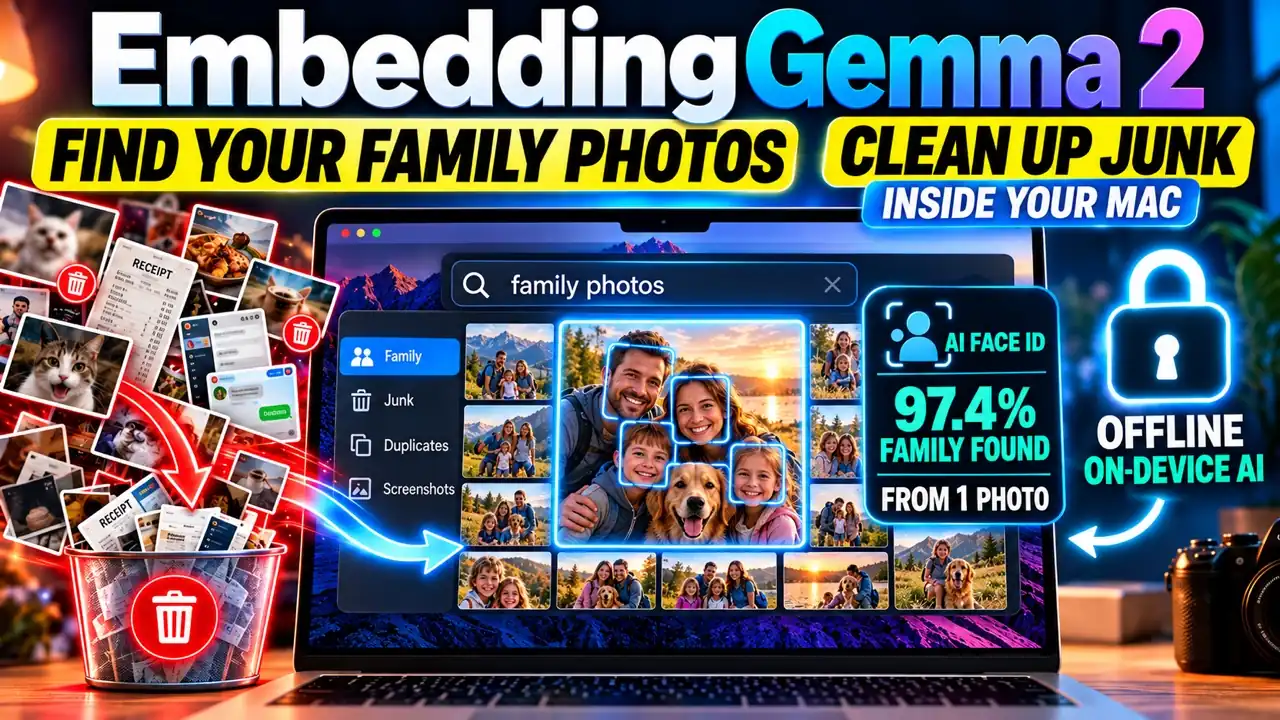
EmbeddingGemma 2, Google’s new free embedding model, found the right file 30 times out of 30 on my Mac in October 2026, offline, in about 34 ms per question. macOS Spotlight found 5. I used it to build the face-search computer from the movies: type a name and every photo of that person lights up. From 5 clicks on one photo, it found a fictional family 114 times out of 121, with 0 wrong names. This is the written companion to my 6-minute video, with every number, how it works, what broke, and the code.
Watch the video: EmbeddingGemma 2 vs Mac Spotlight: 30/30 vs ?. The app and every benchmark: github.com/AnassKartit/embeddinggemma2-photo-sweep.
Key facts (quick answer)
| Fact | Measured result |
|---|---|
| Right file first, 30 questions, 62 files | EmbeddingGemma 2 30/30, file names 12/30, Spotlight 5/30 (11/30 keywords only) |
| Search speed | 62 files indexed in 5.0 s, about 34 ms per question, offline |
| Answers from your files (Gemma 4 E4B) | 11/11, about 2 s each, 6.5 GB peak memory |
| Find anyone by name (ArcFace, 5 clicks on 1 photo) | 114/121 family appearances, 0 wrong names; 118/121 after 2 more clicks |
| Photo cleanup, no training | 29/29 family photos kept, 1 of 77 junk let through |
| Speed per photo (70 image tokens, Mac GPU) | 85 ms (556 ms at the default 280 tokens) |
| Electricity bills: find, read, add up | 12/12 bills exact; one-prompt total was wrong |
| Vector database needed? | No: numpy, ChromaDB, sqlite-vec, pgvector all 29/30 |
| Cost | $0 on the Mac; the cloud comparison cost $0.19 for 948 calls |
TL;DR
- EmbeddingGemma 2 understood plain questions like “where’s my latest electricity bill?”: 30/30 vs Spotlight’s 5/30.
- Gemma 4 E4B answered from the files it found: 11/11, about 2 s each, nothing left the Mac.
- Name 5 faces in one photo and search by name: 114/121 found, 0 wrong names, 0 names on photos of other people.
- “Max birthday” works too: the name filters first, then EmbeddingGemma 2 ranks the rest by meaning.
- The 6 cloud decision models that can see images sorted junk well, but every photo is uploaded.
- You do not need a vector database or LangChain for one person’s files.
How does EmbeddingGemma 2 compare to Mac Spotlight?
It found the right file first 30 times out of 30; Spotlight found it 5 times.
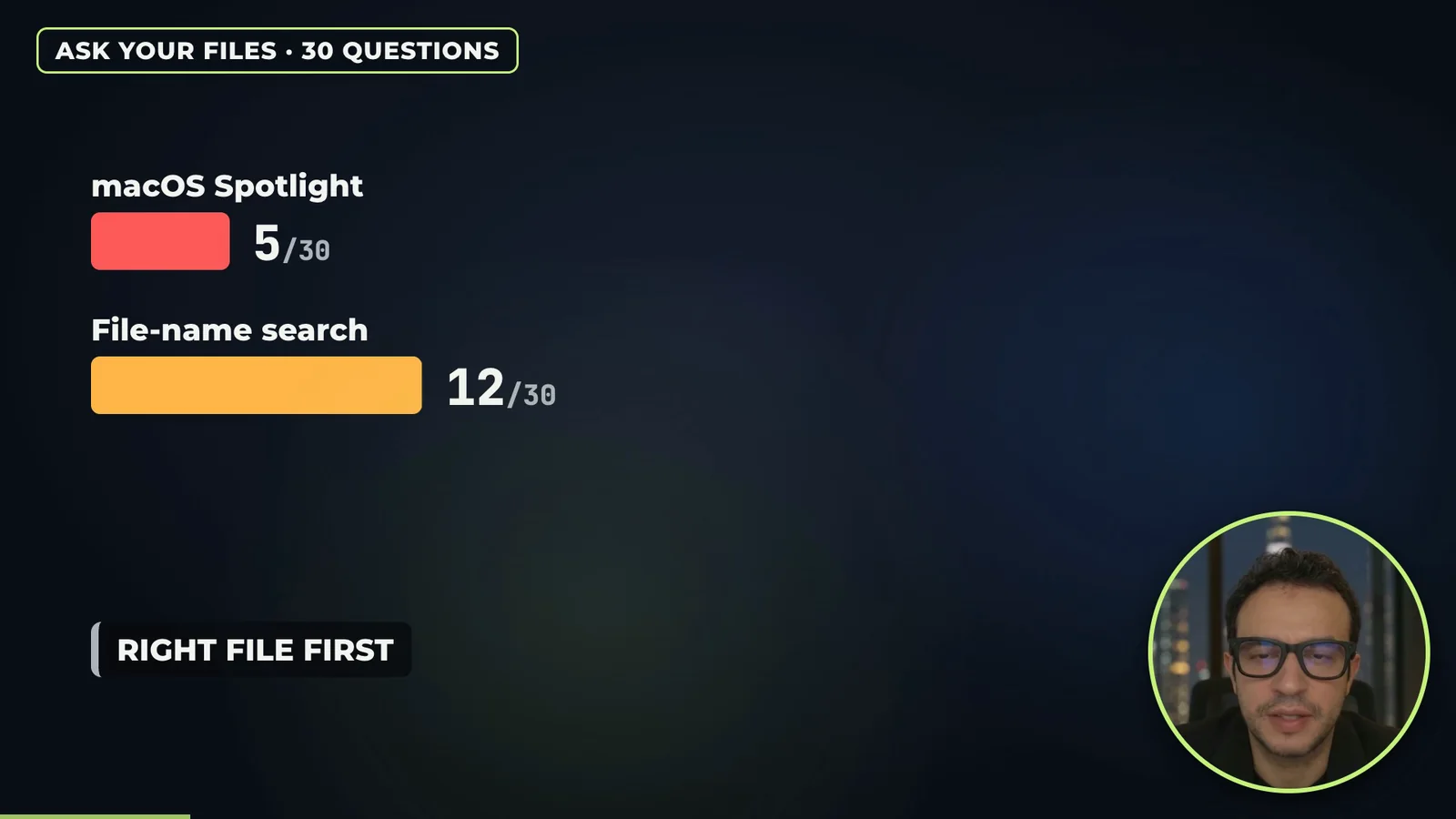
The test folder is a fictional Downloads folder for one made-up person: 62 files, including three electricity bills from 2024, 2025 and 2026 with dull file names, a boarding pass, a lease, notes, installers, screenshots and receipts. I wrote the 30 questions and the right file for each before running anything.
| Search | Right file first (of 30) | Right file in top 5 |
|---|---|---|
| EmbeddingGemma 2 (offline) | 30 | 30 |
| File-name search | 12 | 15 |
macOS Spotlight, keywords only (mdfind) | 11 | 12 |
| macOS Spotlight, the question as typed | 5 | 6 |
Why the gap: Spotlight matches words. EmbeddingGemma 2 turns each file and each question into 768 numbers that describe meaning, so “latest electricity bill” lands next to ebill_download.pdf even though no word matches. For “latest”, the app re-sorts near ties by date.
Can it answer questions from my files?
Yes. This is RAG in plain words: EmbeddingGemma 2 finds the 3 best files, then a small model reads them and answers.
| Model on the Mac | Right answers | Median time | Peak memory |
|---|---|---|---|
Gemma 4 E4B (mlx-community/gemma-4-E4B-it-qat-4bit) | 11/11 | 2.0 s | 6.5 GB |
| Qwen3 4B Instruct 2507 (4-bit) | 11/11 | 2.2 s | 3.0 GB |
| Qwen3.5 9B (4-bit) | 11/11 | 4.8 s | 5.9 GB |
Example: “how much was my latest electricity bill?” gave “$131.44” with the file name ebill_download.pdf.
For totals, do not let the model add. With all 12 monthly bills in one prompt, Gemma 4 E4B said $1,477.17, which is wrong. When it read one bill at a time into JSON and plain Python added them, all 12 totals were exact and so was the year ($1,741.64).
How does “find anyone by name” work?
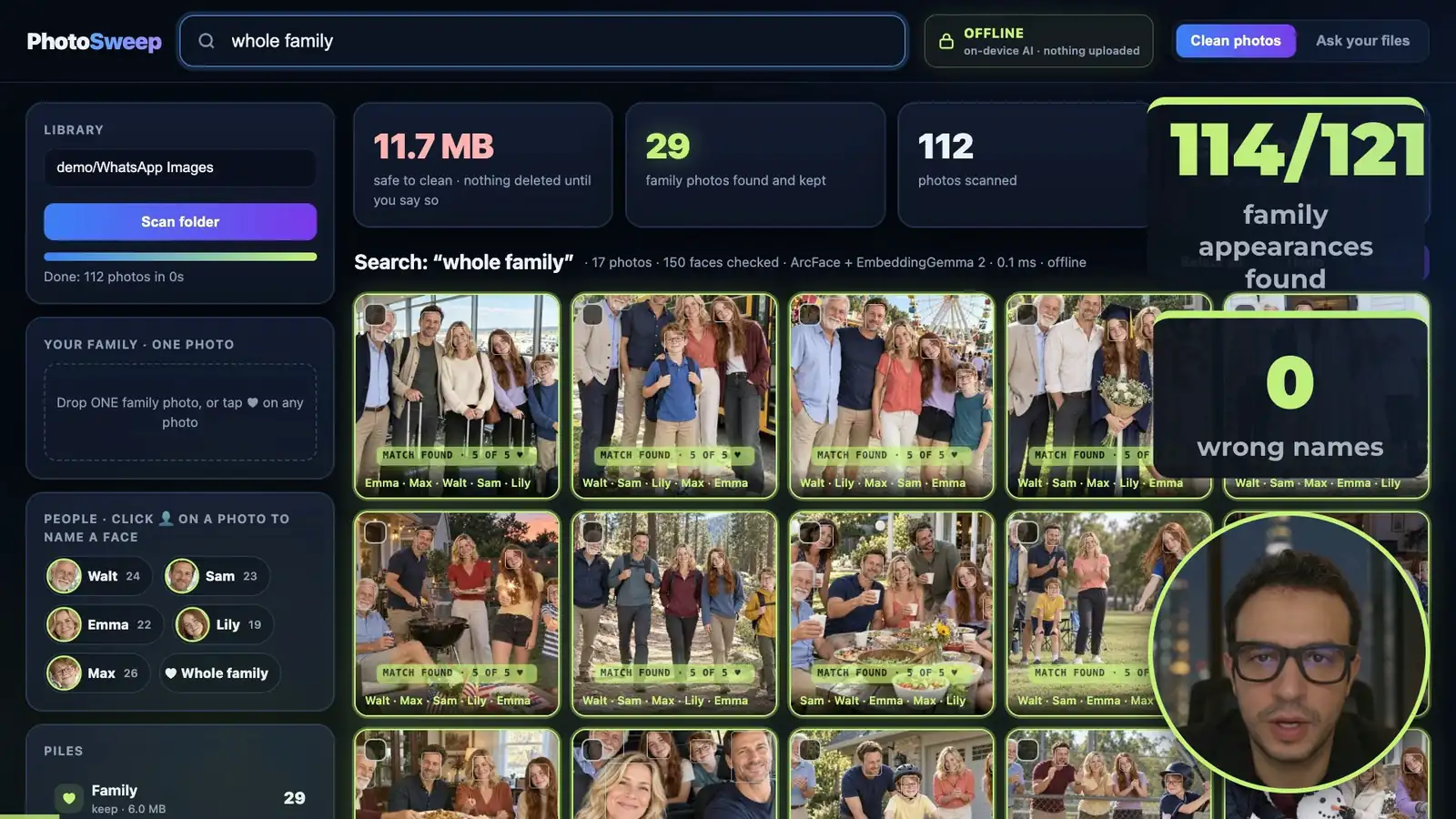
You click 5 faces in one photo and type their names; the app then names every face it is sure about.
- YuNet (OpenCV) finds every face and 5 points on it (eyes, nose, mouth corners).
- ArcFace R50 turns each aligned face into 512 numbers. Two photos of the same person land close together, across ages and angles.
- A face gets a name when it is at least 0.4 similar to the faces you named, and each name is used once per photo.
- Search: type “Lily”, “Max birthday” or “whole family”. Names filter first, then EmbeddingGemma 2 ranks the rest.
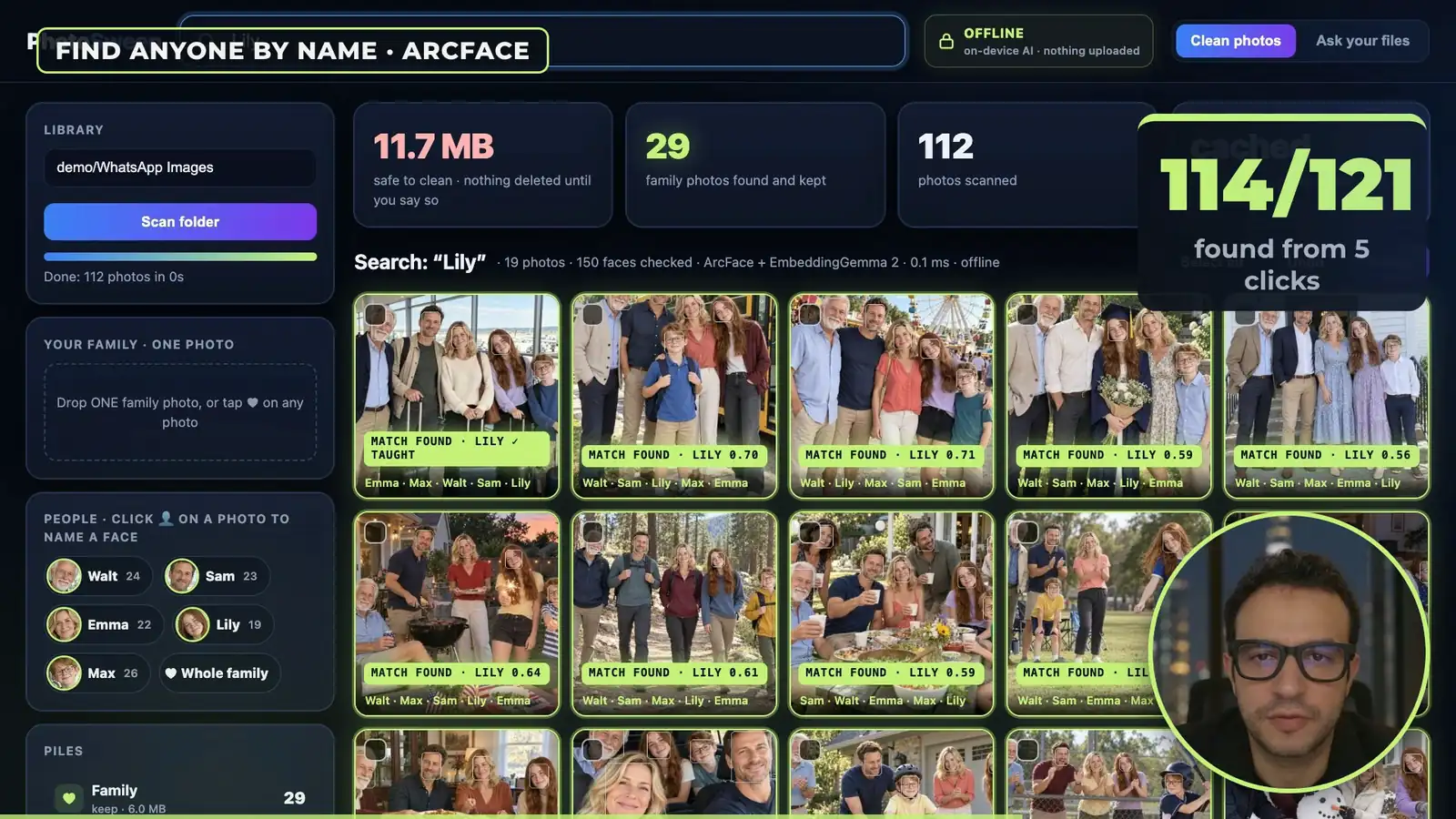
Measured on 112 WhatsApp-style files with a fictional family of 5 in 29 photos (121 face appearances):
| Setting | Found | Wrong names | Names on other people’s photos |
|---|---|---|---|
| ArcFace, 0.4, 5 clicks on 1 photo | 114/121 | 0 | 0 |
| + 2 more clicks (Lily and Emma in a pool photo) | 118/121 (108/111 on photos it never learned from) | 0 | 0 |
| ArcFace, looser 0.3 | 121/121 | 0 | strangers named in 7 photos |
| SFace (the free-for-commercial model) | 115/121 on the benchmark |
The looser setting finds everyone but starts naming strangers, so the app stays at 0.4 and asks you for one more click instead.
For your own library, agent/people.py groups every face it finds, lets you name groups, cross out the faces that are not that person, hide groups you don’t care about, and then shows the faces it is least sure about. Learning is examples, not retraining: every click is stored and used on the next search. Fingerprints and names stay in a folder on your Mac.
Can it clean the junk off a phone?
Yes, on a test phone with 158 photos squeezed like WhatsApp (1600 px, JPEG quality 70).
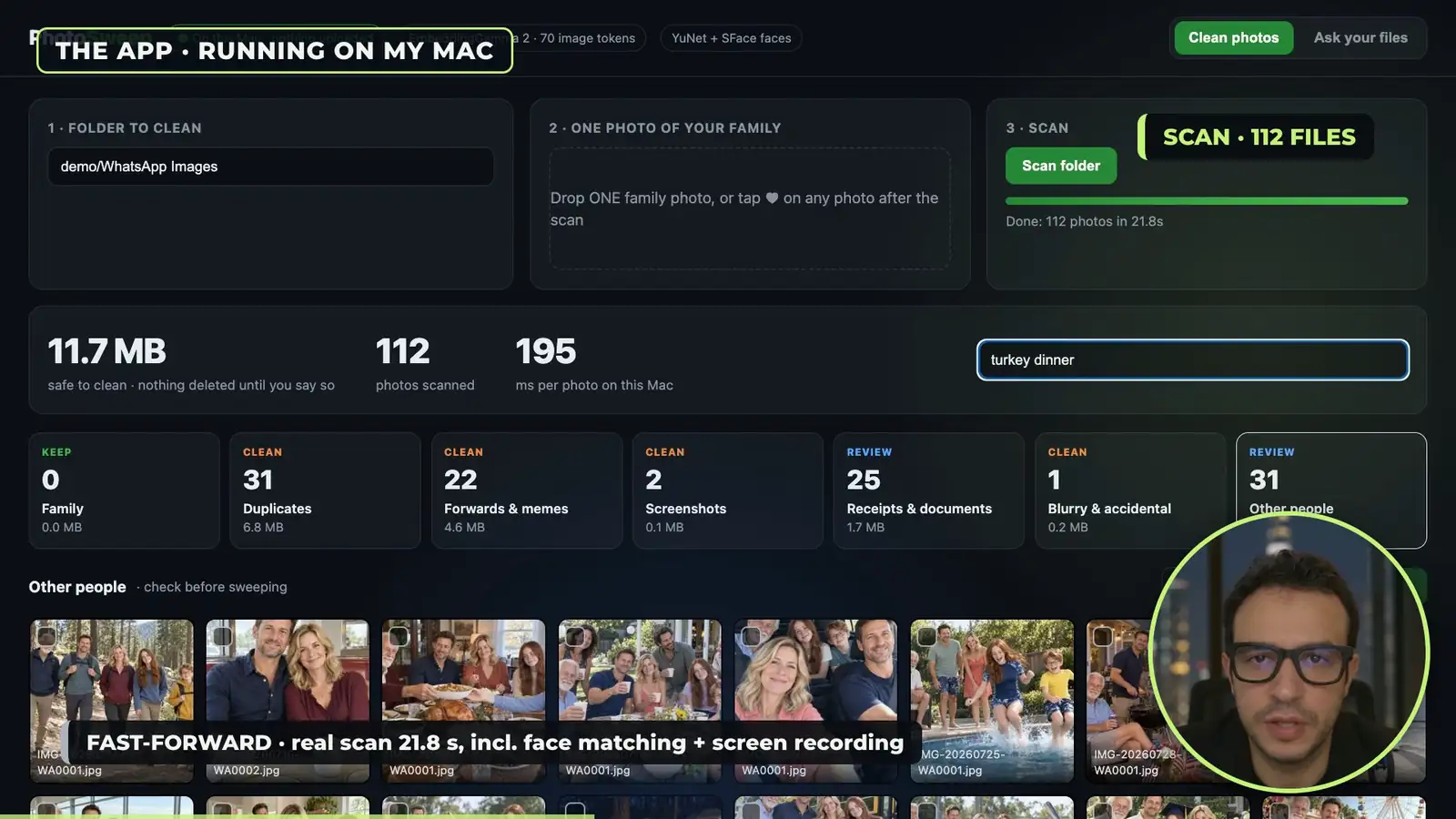
| Check | Result |
|---|---|
| Family photos kept, no training | 29/29 |
| Junk let through, no training | 1 of 77 |
| Speed at Google’s phone setting (70 image tokens) | 85 ms per photo |
| One family photo + YuNet/SFace, strict setting | 97.4% of the family found, 0.8% of other families kept |
| You tag 20 photos, then it decides junk or keep | 96.9% (tag 40: 97.8%) |
| Best cloud decision models (Perplexity Decider, Mercury Decide) | 158/158, but every photo is uploaded |
The app never deletes anything: Sweep moves files into _Sweep/<pile>/ and Undo puts them back.
Do I need a vector database or LangChain?
No, not for one person’s files.
| Store | Right file first (30) | At 50,000 vectors | True top 10 found |
|---|---|---|---|
| numpy, in memory (what the app uses) | 29 | 6 ms | 100% |
| ChromaDB 1.5.9 | 29 | 11 ms | 92% |
| sqlite-vec 0.1.6 | 29 | 95 ms | 100% |
| Postgres 17 + pgvector, HNSW index | 29 | 22 ms | 64% at default settings |
Chunking is 3 lines of Python: 700-character pieces, 100 characters overlapping, each piece starting with the file name. The full search is about 80 lines. LangChain, LangGraph or ADK would add dependencies and change nothing here. They start to make sense for multi-step agents, like “find every passport photo and move it”.
If the library grows, the next step is saving the index in SQLite so a restart only embeds new files. Past a million pieces, sqlite-vec or LanceDB. For a multi-user cloud version, Postgres + pgvector, with the index tuned and measured first.
What broke?
- Other families kept as family. EmbeddingGemma 2 alone knows a photo is a family photo, not whose family, so other families’ photos went into the family pile. Two small face models fixed it.
- Looser face matching names strangers. 0.3 found 121/121 but named strangers in 7 photos.
- One-prompt totals. The model added 12 bills wrong; code adds them right.
- Licence. ArcFace weights are non-commercial. YuNet (MIT) and SFace (Apache 2.0) are the commercial-safe pair.
My take
The surprise is how little you need. One free embedding model, one small reading model and 80 lines of Python beat the search built into every Mac, and nothing leaves the laptop. The face search is the part people ask about, and it works because it asks you for 5 clicks instead of guessing. Start with plain numpy and a folder; add a database when the numbers tell you to.
Sources
- Code, data and every result file: https://github.com/AnassKartit/embeddinggemma2-photo-sweep (REVIEW.md has the full method)
- Video, 13 October 2026: https://youtu.be/ZELcWmxAOLA
- InsightFace buffalo_l (ArcFace R50, non-commercial weights): https://github.com/deepinsight/insightface
- OpenCV Zoo YuNet and SFace: https://github.com/opencv/opencv_zoo
- All numbers measured by me on a MacBook in October 2026. All people in the test photos are fictional (made with Codex), except 40 stranger photos and 25 receipts from public research datasets, fetched by script and not shipped.
Independent review by Anass Kartit. Not affiliated with Google.
Newsletter
Get the next post and game in your inbox
One email when I publish something new: measured write-ups on AI, local models and cloud, plus games like NEON RUN.